13 January 2026
UX/UI Design Trends for 2026: What's Worth Your Investment (And What's Just Hype)
As 2026 approaches, UX/UI design continues evolving with new technologies and shifting user expectations. But not every trend deserves your investment. Some solve genuine user problems while others just demonstrate technical capability without improving experience. This guide identifies the trends shaping 2026 and, more importantly, helps you evaluate which ones warrant adoption for your specific context versus which you should ignore.
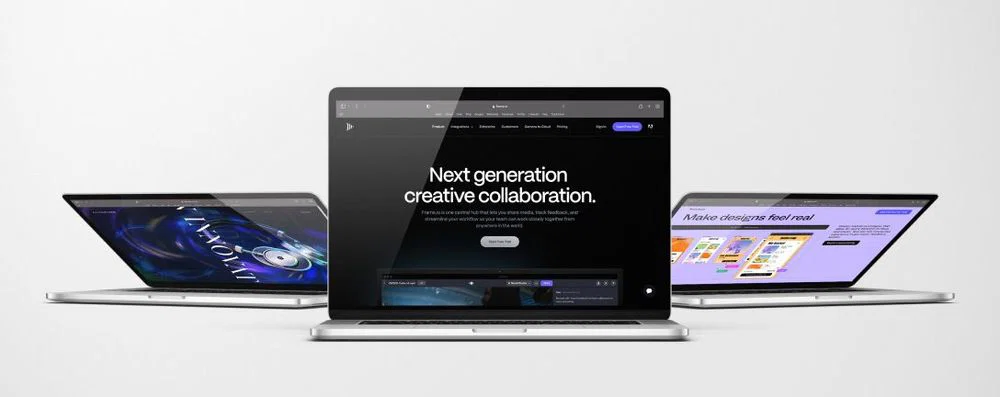
As 2026 approaches, UX/UI design continues evolving with new technologies and shifting user expectations. But not every trend deserves your investment. Some solve genuine user problems while others just demonstrate technical capability without improving experience. This guide identifies the trends shaping 2026 and, more importantly, helps you evaluate which ones warrant adoption for your specific context versus which you should ignore.
How Should You Approach Design Trends Strategically?
Design trends aren't inherently good or bad. They're patterns emerging across the industry that may or may not serve your users and business objectives.
The challenge most organizations face is distinguishing between trends that solve real problems and trends that just look current. A trend might be genuinely valuable for e-commerce product visualization but pointless for B2B lead generation. Context determines whether a trend creates value.
Why Do Some Trends Create Value While Others Waste Budget?
Valuable trends emerge because they address user needs that previous approaches couldn't satisfy. They represent evolution in how we solve problems, enabled by new technology, changed user expectations, or better understanding of human behavior.
Wasteful trends emerge because designers want to try new techniques or because visible brands adopt approaches that others copy without understanding the strategic context. These trends spread through design showcases and awards rather than through demonstrated improvement in user outcomes.
The distinction matters because implementing trends requires real investment. Development time, testing, ongoing maintenance, and potential performance impacts all have costs. You need confidence that the trend solves a problem worth solving.
UX Research helps identify which user problems exist in your specific context before adopting trends that may or may not address them.
What Questions Help Evaluate Whether a Trend Matters for You?
A few key questions separate valuable trends from distracting ones.
Does this trend address a user problem we actually have? If your users aren't struggling with the problem this trend solves, implementing it won't improve their experience. Dark mode matters if your users frequently work in low-light conditions. It doesn't matter if they primarily use your application during business hours in well-lit offices.
Do we have the technical capability to implement this well? Some trends require sophisticated development capabilities or ongoing maintenance. Implementing them poorly creates worse experience than not implementing them at all. Be honest about your team's capabilities before committing to technically complex trends.
Will this trend still be relevant in 18 months? Some trends have staying power because they solve fundamental problems. Others are momentary aesthetic preferences that will look dated quickly. Investing in trends with longevity creates better return than chasing every passing fashion.
What's the opportunity cost? Every trend you implement consumes resources that could address other priorities. Even if a trend would create some value, it might not be the best use of limited design and development bandwidth.
What Core Trends Are Shaping UX/UI in 2026?
Several fundamental shifts are influencing how designers approach digital experiences in 2026. Understanding these helps contextualize specific tactical trends.
How Is AI Integration Changing Interface Design?
Artificial intelligence is moving from isolated features to integrated capabilities woven throughout interfaces. This fundamentally changes how designers think about user interactions.
Predictive interfaces anticipate user needs based on behavior patterns and context. Instead of waiting for users to request actions, interfaces proactively surface relevant options. An e-commerce site might suggest reordering frequently purchased items before the user searches for them. A project management tool might automatically prioritize tasks based on deadlines and dependencies.
This creates value by reducing cognitive load and repetitive actions. But it requires careful implementation to avoid feeling intrusive. Users need control over predictions and the ability to override automated suggestions easily.
Artificial Intelligence capabilities enable these predictive interfaces, but success depends on understanding when prediction helps versus when it annoys.
Conversational interfaces powered by large language models are becoming more capable and natural. Users can describe what they want to accomplish in plain language rather than learning specific interface patterns. This reduces learning curves but requires different design thinking about how to structure interactions and handle ambiguity.
The challenge is maintaining brand consistency and user trust when AI generates dynamic responses rather than displaying predefined content. Copywriting & UX Writing standards need to extend to AI-generated content.
What's Driving the Shift Toward Adaptive Interfaces?
Interfaces are becoming more adaptive, changing based on user context, device capabilities, and individual preferences rather than showing identical experiences to everyone.
This goes beyond responsive design for different screen sizes. Adaptive interfaces consider factors like connection speed (showing simplified versions on slow connections), time of day (automatic dark mode in evenings), user expertise level (progressive disclosure for beginners versus power features for experts), and accessibility needs (automatically adjusting contrast, text size, or interaction patterns).
The trend emerges because users increasingly expect experiences tailored to their specific situation. A one-size-fits-all approach feels dated when competing services adapt intelligently.
Implementation requires technical sophistication. You need systems that can detect context reliably, make smart decisions about what to adapt, and do so without degrading performance. Website Design & Development capabilities that support adaptive experiences separate effective implementation from superficial attempts.
How Are Privacy Concerns Reshaping Design Patterns?
Growing privacy awareness is forcing designers to rethink patterns that previously relied on extensive data collection and tracking.
Permission-first design makes data usage transparent and gives users meaningful control. Instead of hiding data collection in terms of service, interfaces explicitly explain what data is collected, why, and allow granular control over what users share.
This creates trust but requires rethinking features that previously assumed unrestricted data access. Personalization features need to work with limited data or explicit user preferences rather than extensive behavioral tracking.
Privacy-preserving design is becoming a competitive advantage as users increasingly choose services that respect their data. The trend will accelerate as regulations tighten and browser capabilities for blocking tracking improve.
What Visual Trends Matter in 2026?
Visual trends get the most attention in trend articles but matter less than strategic and interaction trends. Still, several visual directions are influencing 2026 design.
Is Maximalism Replacing Minimalism?
Design is seeing a shift away from extreme minimalism toward richer, more expressive visual treatments. This doesn't mean cluttered interfaces but rather willingness to use color, texture, and visual personality that minimalism suppressed.
The shift comes partly from maturity of minimalist design. When everyone adopted extreme minimalism, brands lost visual differentiation. Richer visual treatment helps brands stand out and express personality.
It also reflects changed user expectations. The users who needed ultra-simple interfaces to build confidence with digital technology are now comfortable with more sophisticated visual language. Younger users in particular expect visual richness and personality rather than sterile minimalism.
But this trend requires careful application. Visual richness should enhance rather than overwhelm. The goal is personality and memorability, not decoration for its own sake.
Brand Identity work helps determine how much visual personality serves your brand versus when restraint works better.
How Is Typography Evolving Beyond Variable Fonts?
Typography continues expanding as a primary design element rather than just a content delivery mechanism.
Variable fonts are now widely supported and enable sophisticated typographic expression without performance penalties. Designers can adjust weight, width, and other parameters dynamically based on screen size, user preferences, or context.
But the bigger trend is typography as a brand differentiator. Custom typefaces and distinctive typographic treatments help brands establish visual identity in increasingly crowded digital spaces. Large, expressive typography creates hierarchy and emotional tone without requiring extensive imagery.
This works particularly well for content-heavy experiences where strong typography improves readability while expressing brand personality. B2B companies are discovering that distinctive typography can differentiate them without requiring the visual production budgets that consumer brands invest in imagery.
Implementation requires attention to performance. Custom fonts add page weight, so optimization matters. But when done well, typography creates significant brand impact for relatively modest investment.
What's Happening With Color and Contrast?
Color usage is becoming more intentional and strategic rather than following preset palettes.
High contrast design continues gaining adoption, driven partly by accessibility requirements and partly by its effectiveness at directing attention. Strong contrast between elements creates clear visual hierarchy and improves usability across different viewing conditions.
Dynamic color systems adjust palettes based on context. Dark mode is now expected rather than novel, but implementations are becoming more sophisticated. Instead of simply inverting colors, effective dark modes use carefully considered palettes that work in low-light conditions while maintaining brand identity.
Color is also being used more boldly for emotional impact and brand differentiation. The extremely restrained palettes of recent years are giving way to richer, more expressive color usage.
But color choices need to support usability and accessibility, not just aesthetic preference. UI Design expertise ensures color serves functional goals alongside aesthetic ones.
What Interaction Trends Should You Consider?
How users interact with interfaces continues evolving, with several trends emerging for 2026.
Are Micro-Interactions Still Relevant or Over-Hyped?
Micro-interactions remain valuable when they serve clear communication purposes. The trend isn't new, but implementation is becoming more sophisticated and strategic.
Effective micro-interactions provide feedback that reduces user uncertainty. A button that provides visual confirmation of a click, an animation that shows an item being added to a cart, or a subtle transition that maintains spatial orientation all improve usability by communicating system state clearly.
The over-hyped aspect is excessive animation and effects that prioritize visual interest over communication. If a micro-interaction doesn't help users understand what's happening or confirm their action registered, it's probably unnecessary.
The 2026 evolution is using micro-interactions more selectively and purposefully rather than adding them everywhere. Quality over quantity. A few well-considered micro-interactions create better experience than dozens of arbitrary animations.
How Is Gesture-Based Navigation Evolving?
Gesture interactions are becoming more sophisticated, particularly on mobile and touch-first interfaces. But desktop applications are also incorporating gesture patterns as trackpads become more capable.
Swipe patterns for navigation, pinch-to-zoom, long-press for additional options, and other touch gestures are now familiar to most users. The 2026 evolution is using these patterns more consistently across applications and extending them to new contexts.
The challenge is discoverability. Gesture interactions often lack visible affordances, so users don't know they exist. Effective implementations balance gesture efficiency with visible alternatives for users who don't know or can't use gestures.
Accessibility considerations are critical. Gesture-based interactions need keyboard and assistive technology alternatives. Design that assumes gesture capability excludes users who can't perform them.
What's Changing in Navigation Patterns?
Navigation is seeing renewed attention as applications become more complex and users expect to accomplish more within single interfaces.
Contextual navigation adapts based on where users are and what they're trying to accomplish rather than showing identical navigation everywhere. This reduces cognitive load by showing only relevant options but requires sophisticated information architecture.
Persistent navigation is being questioned. The assumption that primary navigation should be visible at all times is giving way to more flexible approaches that show navigation when needed but dedicate more space to content when users are focused on tasks.
Search-first navigation is becoming more prominent as search capabilities improve. Instead of browsing through hierarchical menus, users can describe what they want and jump directly there. This works particularly well for complex applications with many features.
Digital Strategy work helps determine which navigation patterns serve your specific content structure and user mental models.
What Technical Trends Enable Better UX?
Several technical capabilities are enabling UX improvements that weren't previously practical.
How Is Performance Optimization Becoming a UX Priority?
Performance isn't just a technical concern. It's a fundamental UX factor that directly impacts user satisfaction, conversion, and retention.
The trend is treating performance as a first-class design consideration from the start rather than an optimization problem to solve later. Designers are considering payload size, rendering performance, and interaction responsiveness during design decisions, not just after implementation.
This changes design choices. Sophisticated animations might be constrained if they impact frame rates. Image-heavy designs might be reconsidered if they slow initial load. The goal is creating experiences that feel fast and responsive, which matters more than visual sophistication that comes with performance costs.
Performance Marketing depends on fast experiences. Slow sites don't convert well regardless of how beautiful they are.
Progressive enhancement approaches ensure core functionality works immediately while enhancement loads progressively. Users get usable experiences quickly rather than waiting for everything to load before anything works.
What Role Does Edge Computing Play in UX?
Edge computing is enabling experiences that weren't previously possible by processing data closer to users rather than routing everything through centralized servers.
For UX, this means lower latency interactions. Real-time collaboration, live previews, and instant feedback become practical even for computationally intensive operations. Applications feel more responsive because processing happens locally or at nearby edge locations rather than traveling to distant data centers.
This particularly matters for global applications. Users in regions far from central servers previously experienced noticeably degraded performance. Edge computing reduces that geographic performance gap.
The UX benefit is creating consistently fast experiences regardless of user location. Implementation requires technical sophistication, but the user experience improvement justifies the investment for applications where responsiveness matters.
How Are Progressive Web Apps Changing Platform Expectations?
Progressive Web Apps (PWAs) are blurring the line between web and native applications. They offer native-like capabilities (offline functionality, push notifications, home screen installation) while maintaining web flexibility and deployment advantages.
For UX, this means designers can create experiences that feel like native applications without requiring users to install through app stores. The reduced friction of web access combined with native-like functionality serves users who want application capabilities without installation commitment.
PWAs work particularly well for occasional-use applications where users don't want to dedicate device storage to installed apps. They also serve organizations that want single codebases serving both web and mobile users rather than maintaining separate implementations.
Web & Mobile App Development expertise helps determine when PWAs serve user needs better than native applications versus when native capabilities justify separate development.
How Should Different Industries Approach 2026 Trends?
Trends don't apply uniformly. Industry context determines which trends create value versus which ones waste resources.
What Trends Matter Most for E-commerce?
E-commerce continues investing heavily in product visualization and discovery because these directly impact conversion.
Augmented reality product previews are becoming more sophisticated and practical. Users can visualize products in their space or try them virtually with increasing realism. This reduces purchase uncertainty and return rates, creating clear ROI.
3D Product Visualization capabilities enable rich product exploration that helps buyers understand what they're purchasing.
AI-powered product recommendations are evolving beyond simple "customers who bought X also bought Y" patterns to understanding style preferences, use cases, and purchase intent. Better recommendations improve discovery and increase average order values.
One-click and streamlined checkout flows continue maturity. Every interaction removed from checkout improves completion rates. The trend is reducing checkout to absolute minimum viable steps while maintaining security and user confidence.
E-commerce Solutions that implement these trends strategically see measurable improvement in conversion and customer lifetime value.
How Should B2B Companies Think About Design Trends?
B2B contexts require different trend evaluation because user needs and buying processes differ from consumer applications.
Content clarity and information architecture matter more than visual sophistication for most B2B experiences. Users are researching complex purchases and comparing multiple vendors. Design that helps them understand capabilities, pricing, and fit creates more value than design that impresses them visually.
Self-service capabilities are becoming expected. B2B buyers want to research and even purchase without requiring sales interaction for straightforward transactions. Interfaces need to support both self-service exploration and easy transition to sales assistance when needed.
Account-based experiences that recognize returning visitors and provide continuity across multiple sessions and stakeholders improve B2B user experience significantly. B2B buying involves multiple people and happens over weeks or months, so maintaining context matters.
What Design Trends Serve Real Estate and Architecture?
Real estate and architecture have unique visualization needs that make certain trends particularly valuable.
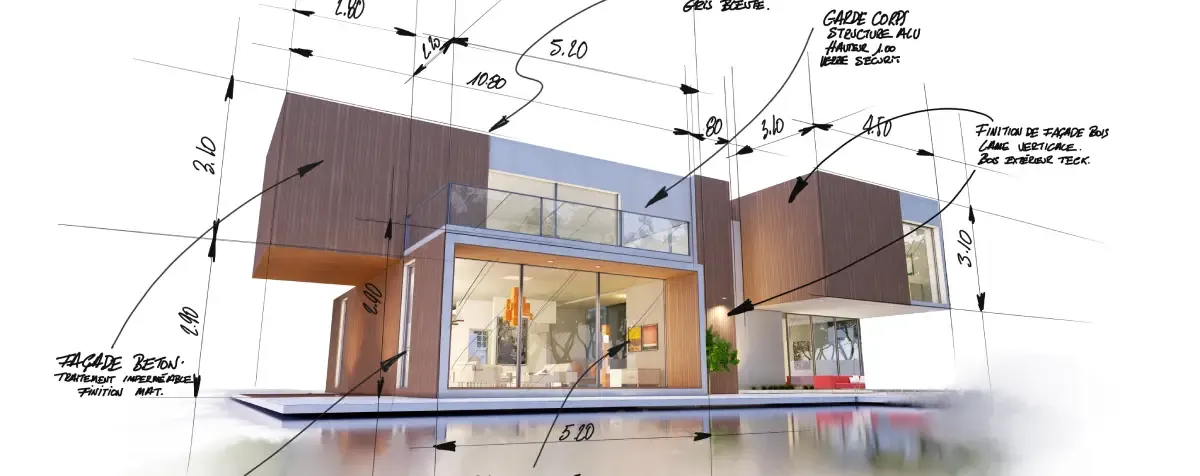
Architectural Visualizations continue advancing in realism and interactivity. Prospective buyers can explore properties virtually with increasing fidelity, which expands the potential buyer pool and accelerates decision-making.
Digital Twins allow complete digital representation of physical properties, enabling virtual tours, configuration exploration, and renovation visualization. This creates value throughout the property lifecycle from initial marketing through ownership and potential modification.
Interactive Real Estate Solutions let users explore properties at their own pace, filter by preferences, and compare options more effectively than static listings allow.
The ROI is clear. Better visualization reduces wasted viewings, accelerates sales cycles, and enables marketing to geographically dispersed buyers who can't visit properties in person.
How Do You Decide Which Trends to Implement?
With limited resources and countless trends competing for attention, strategic prioritization matters.
What Framework Helps Prioritize Trend Adoption?
A structured framework prevents trend adoption from being arbitrary or purely aesthetic preference.
Start with user needs. Which trends address problems your users actually face? If users don't struggle with the problem a trend solves, implementing it won't improve their experience.
Consider implementation complexity relative to value. Some trends require extensive development and ongoing maintenance. Others are relatively straightforward to implement. Prioritize trends where the value clearly exceeds the investment required.
Evaluate longevity. Some trends solve fundamental problems and will remain relevant. Others are aesthetic fashions that will look dated quickly. Invest in trends with staying power unless you're prepared to redesign frequently.
Assess competitive context. If competitors are successfully using trends that create clear user value, you may need to adopt them to remain competitive. But don't copy trends just because visible brands use them without understanding the strategic context.
UX Research and Analytics and Reporting help identify which user problems exist in your specific context before adopting trends.
How Do You Test Trends Before Full Implementation?
Testing trends with real users before committing to full implementation reduces risk and provides evidence for decision-making.
Prototype key interactions and gather user feedback. Does the trend actually improve task completion? Do users understand the new patterns? Does it feel natural or awkward? Testing answers these questions before expensive development.
A/B testing allows comparing trend-based implementations against current approaches with real usage data. This provides evidence about whether the trend improves actual outcomes rather than just looking current.
Start with small-scale implementations in less critical areas. Test the trend where failure won't significantly harm experience, learn from real usage, then expand to more critical areas if results are positive.
Conversion Rate Optimization expertise helps design tests that actually validate whether trends improve outcomes versus just confirming they work technically.
What Red Flags Suggest a Trend Isn't Worth Adopting?
Several warning signs indicate a trend probably won't create value for your specific context.
If you can't articulate the user problem it solves, the trend is probably aesthetic preference rather than functional improvement. Visual novelty isn't sufficient justification for implementation investment.
If implementation would significantly degrade performance, the trade-off probably isn't worth it. Slow experiences frustrate users regardless of how current they look.
If your team lacks expertise to implement the trend well, poor execution will create worse experience than not implementing it at all. Build capability first or engage partners who have the expertise.
If the trend contradicts your users' established mental models and expectations, you'll create friction rather than improvement. Novel patterns work when they solve problems better than familiar approaches. They fail when they just make common tasks harder.
What's the Strategic Approach to Design Trends?
The most successful organizations approach trends strategically rather than reactively.
How Do You Balance Innovation With Consistency?
Adopting every trend creates disjointed experiences that confuse users. Ignoring all trends makes experiences feel dated. The balance requires strategic judgment.
Establish core brand and UX principles that remain stable regardless of trends. These create consistency and recognizability even as tactical implementations evolve. Brand Strategy work defines what stays constant versus what can evolve.
Adopt trends selectively in areas where they create clear value while maintaining consistent patterns in foundational interactions. Users can adapt to new approaches in specific features while relying on familiar patterns for core navigation and actions.
Update incrementally rather than through wholesale redesigns. Gradual evolution allows users to adapt to changes while giving you flexibility to incorporate valuable trends as they emerge.
How Do You Build Internal Capability to Evaluate Trends?
Organizations need internal capability to evaluate trends rather than depending entirely on external trend reports or designer enthusiasm.
Develop user research practices that identify actual user problems. Trends matter when they solve problems users face. Understanding your specific user challenges provides context for evaluating which trends create value.
Create evaluation frameworks that work across design, business, and technical stakeholders. Shared criteria prevent trend discussions from becoming subjective preference debates.
Build relationships with partners who can provide strategic counsel beyond pure execution. Full Stack Development capabilities combined with strategic design thinking help navigate trend decisions effectively.
Most importantly, treat trend adoption as learning rather than permanent commitment. Implement, measure, learn, and iterate. Organizations that systematically learn from design experiments build increasing advantage over those that either chase every trend or ignore all of them.
Keep reading

Marketing
Business
1/10
Which Digital Investments Actually Hold Value During Budget Pressure: Website, Brand, or Content?
03 October 2023
Marketing
Business
Which Digital Investments Actually Hold Value During Budget Pressure: Website, Brand, or Content?
03 October 2023

CGI
Business
2/10
The Benefits of 3D Walkthroughs for Architects and Clients
08 August 2023
CGI
Business
The Benefits of 3D Walkthroughs for Architects and Clients
08 August 2023
Marketing
3/10
How Does Consumer Research Behavior Change Website Lead Generation Strategy?
11 February 2025
Marketing
How Does Consumer Research Behavior Change Website Lead Generation Strategy?
11 February 2025

Marketing
4/10
10 Critical Success Factors Every Startup Founder Must Master to Avoid Failure
10 December 2024
Marketing
10 Critical Success Factors Every Startup Founder Must Master to Avoid Failure
10 December 2024
Marketing
5/10
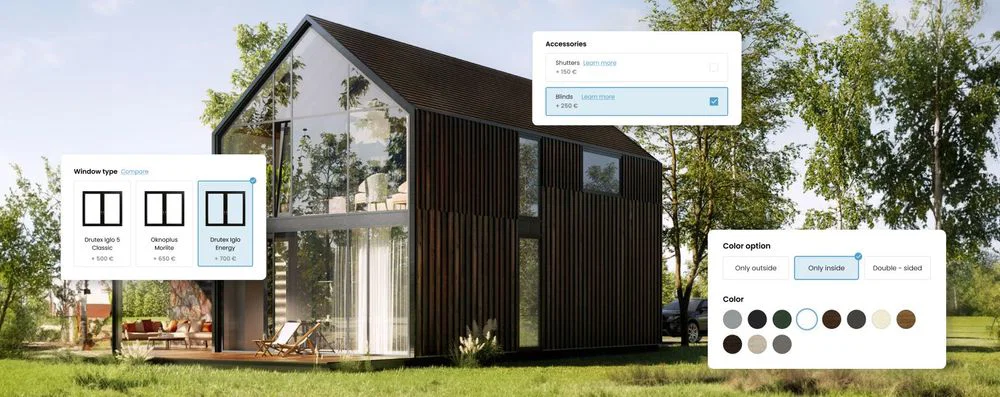
Creating an Interactive Buying Experience: The Power of 3D Product Configurators
13 August 2023
Marketing
Creating an Interactive Buying Experience: The Power of 3D Product Configurators
13 August 2023
Marketing
6/10
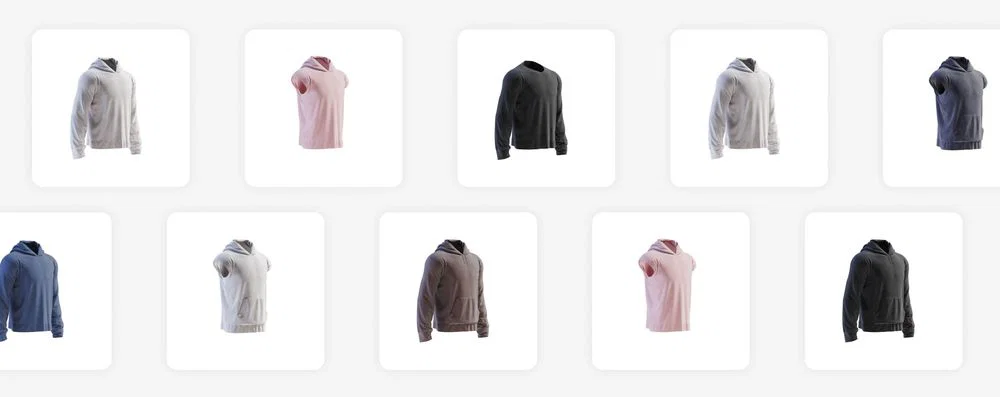
The Benefits of 360-Degree Product Views for Online Shopping
08 August 2023
Marketing
The Benefits of 360-Degree Product Views for Online Shopping
08 August 2023
Design
7/10
How to create effective typography in graphic design?
01 October 2023
Design
How to create effective typography in graphic design?
01 October 2023
Design
8/10
Why Do Cheap Architectural Renderings Cost More Than Premium Visualization?
14 December 2025
Design
Why Do Cheap Architectural Renderings Cost More Than Premium Visualization?
14 December 2025
.png?width=1770&quality=85&format=webp)
Design
9/10
Is Your Organization Actually Ready for Product Validation (Or Will You Just Waste Money on Workshops)?
10 April 2024
Design
Is Your Organization Actually Ready for Product Validation (Or Will You Just Waste Money on Workshops)?
10 April 2024

Marketing
10/10
How Does 3D Product Animation Transform Social Media Marketing Performance?
10 January 2024
Marketing
How Does 3D Product Animation Transform Social Media Marketing Performance?
10 January 2024
1/10